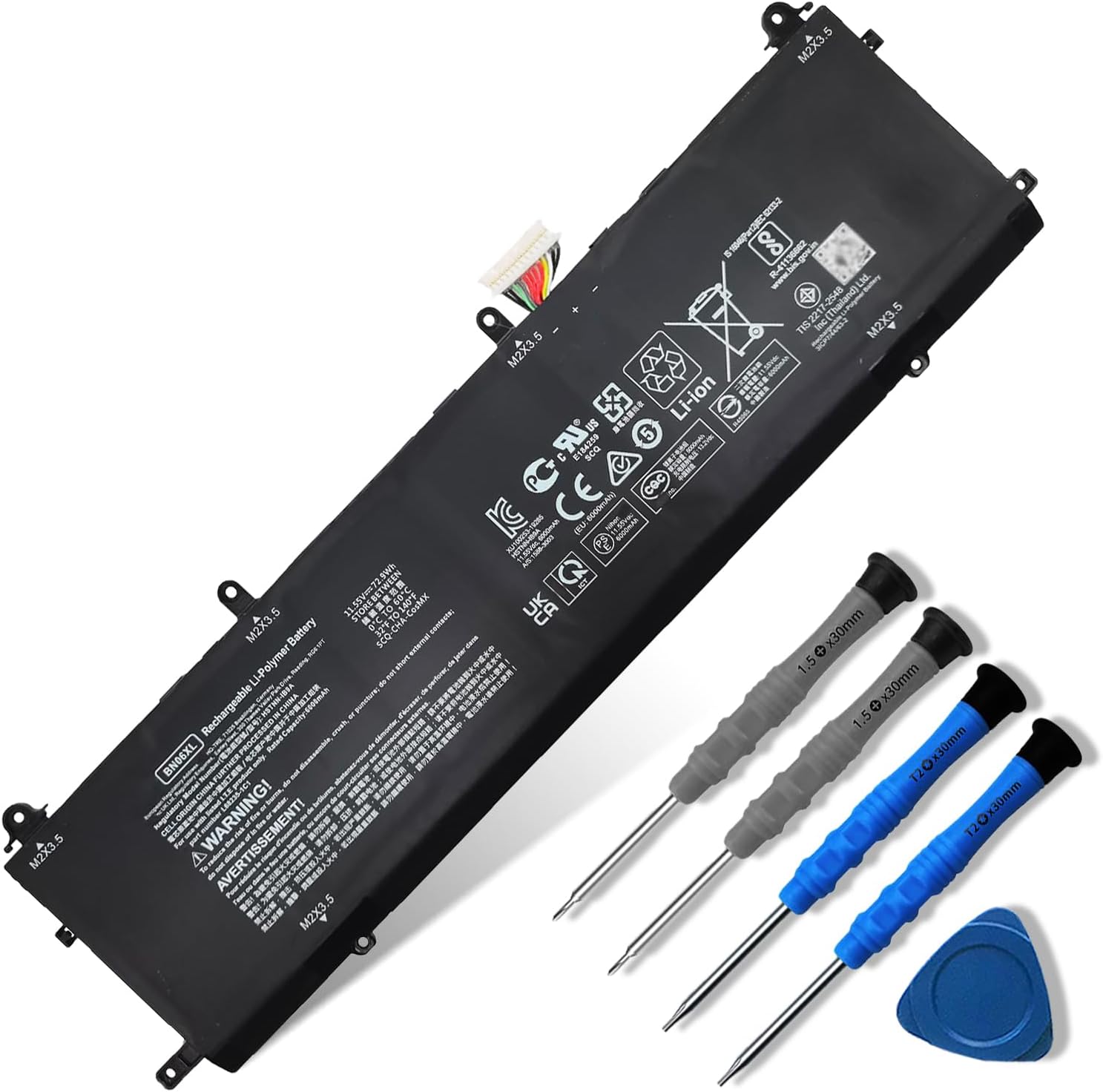
Description:
Details:
| Brand | Dentsing |
|---|---|
| Recommended Uses For Product | Laptop |
| Unit Count | 1 Count |
| Reusability | Rechargeable |
| Model Name | BN06XL |
Visit the Dentsing Store
72.9Wh BN06XL L68299-005 Compatible with HP Spectre X360 15 15-eb000 15-eb0xxx 15-eb1xxx 15-EB1043DX 15-EB0053DX 15-EB0043DX 15T-EB 15-EB 15T-EB000 15T-EB100 Series BNO6XL BN06072XL L68299-005 11.55V
QAR29764
Quantity:
Order today to get by 7-14 business days
This item qualifies for free delivery
 Imported From: United States
At BOLO, we work hard to ensure the products you receive are new, genuine, and sourced from reputable suppliers.
Every product in the BOLO catalogue is sourced through our Verified Global Supply Network of verified sellers, authorized distributors or directly from the manufacturer.
Each product undergoes thorough inspection and verification at our consolidation and fulfilment centers to ensure it meets our strict authenticity and quality standards before being shipped and delivered to you.
If you ever have concerns regarding the authenticity of a product purchased from us, please contact Bolo Support. We will review your inquiry promptly and, if necessary, provide documentation verifying authenticity or offer a suitable resolution.
Your trust is our top priority, and we are committed to maintaining transparency and integrity in every transaction.
While we strive to display accurate information, variations in packaging, labeling, instructions, or formulation may occasionally occur due to regional differences or supplier updates. For detailed or manufacturer-specific information, please contact the brand directly or reach out to BOLO Support for assistance.
Unless otherwise stated, all prices displayed on the product page include applicable taxes and import duties.
BOLO operates in accordance with the laws and regulations of Qatar. Any items found to be restricted or prohibited for sale within the Qatar will be cancelled prior to shipment. We take proactive measures to ensure that only products permitted for sale in Qatar are listed on our website.
All items are shipped by air, and any products classified as “Dangerous Goods (DG)” under IATA regulations will be removed from the order and cancelled.
All orders are processed manually, and we make every effort to process them promptly once confirmed. Products cancelled due to the above reasons will be permanently removed from listings across the website.


Battery Optimal Maintenance
- New battery received, discharge the battery to 5% (not 0%) for the fist use, then charge and cycle 3-4 times to wake up the new battery.
- The important point is to perform a full discharge and charge every other month to extend the battery life.
- Do not connect adapter for a long time while using the battery. It may damage the battery.
- Avoid artificial shocks, disassembly, crush or puncture. Do not dispose of it in fire or water.

Installation Suggestion
- All of our batteries are rigorously tested to meet or exceed the OEM specifications. The performance are the same or better than laptop original battery.
- Battery Installation is easy, but we also recommend you to learn related installation video on the web in advance, or just find a repair technician for help.
- Please be careful when install battery. Any damage caused by improper operation will be your own responsibility, hope understand.
Battery cannot be identified by your laptop or it doesn't seem to work. That may be caused by different situations. Please check by yourself first as below steps.

Issue Troubleshooting Methods
- Could be caused by battery loose. Remove the battery and try to reinstall more than once.
- May be due to conductive material damaged which the laptop motherboard and battery anode and cathode contact position, you can try to confirm it with your original battery.
- Check whether the battery drive is in normal condition, if not, download the corresponding driver software to update.
- Take out the battery and press the power button for about 15 seconds to consume the internal residual power (Do not connect the power cord), and then reinstall the battery. You can try several times.
More from this brand
Similar items from “Batteries”
Share with
Or share with link
https://www.bolo.qa/products/UO0SOED73GW
Visit the Dentsing Store
72.9Wh BN06XL L68299-005 Compatible with HP Spectre X360 15 15-eb000 15-eb0xxx 15-eb1xxx 15-EB1043DX 15-EB0053DX 15-EB0043DX 15T-EB 15-EB 15T-EB000 15T-EB100 Series BNO6XL BN06072XL L68299-005 11.55V
QAR29764
Quantity:
Order today to get by 7-14 business days
This item qualifies for free delivery
Imported From: United States
At BOLO, we work hard to ensure the products you receive are new, genuine, and sourced from reputable suppliers.
Every product in the BOLO catalogue is sourced through our Verified Global Supply Network of verified sellers, authorized distributors or directly from the manufacturer.
Each product undergoes thorough inspection and verification at our consolidation and fulfilment centers to ensure it meets our strict authenticity and quality standards before being shipped and delivered to you.
If you ever have concerns regarding the authenticity of a product purchased from us, please contact Bolo Support. We will review your inquiry promptly and, if necessary, provide documentation verifying authenticity or offer a suitable resolution.
Your trust is our top priority, and we are committed to maintaining transparency and integrity in every transaction.
While we strive to display accurate information, variations in packaging, labeling, instructions, or formulation may occasionally occur due to regional differences or supplier updates. For detailed or manufacturer-specific information, please contact the brand directly or reach out to BOLO Support for assistance.
Unless otherwise stated, all prices displayed on the product page include applicable taxes and import duties.
BOLO operates in accordance with the laws and regulations of Qatar. Any items found to be restricted or prohibited for sale within the Qatar will be cancelled prior to shipment. We take proactive measures to ensure that only products permitted for sale in Qatar are listed on our website.
All items are shipped by air, and any products classified as “Dangerous Goods (DG)” under IATA regulations will be removed from the order and cancelled.
All orders are processed manually, and we make every effort to process them promptly once confirmed. Products cancelled due to the above reasons will be permanently removed from listings across the website.
Description:
Details:
| Brand | Dentsing |
|---|---|
| Recommended Uses For Product | Laptop |
| Unit Count | 1 Count |
| Reusability | Rechargeable |
| Model Name | BN06XL |
Battery Optimal Maintenance
- New battery received, discharge the battery to 5% (not 0%) for the fist use, then charge and cycle 3-4 times to wake up the new battery.
- The important point is to perform a full discharge and charge every other month to extend the battery life.
- Do not connect adapter for a long time while using the battery. It may damage the battery.
- Avoid artificial shocks, disassembly, crush or puncture. Do not dispose of it in fire or water.
Installation Suggestion
- All of our batteries are rigorously tested to meet or exceed the OEM specifications. The performance are the same or better than laptop original battery.
- Battery Installation is easy, but we also recommend you to learn related installation video on the web in advance, or just find a repair technician for help.
- Please be careful when install battery. Any damage caused by improper operation will be your own responsibility, hope understand.
Battery cannot be identified by your laptop or it doesn't seem to work. That may be caused by different situations. Please check by yourself first as below steps.
Issue Troubleshooting Methods
- Could be caused by battery loose. Remove the battery and try to reinstall more than once.
- May be due to conductive material damaged which the laptop motherboard and battery anode and cathode contact position, you can try to confirm it with your original battery.
- Check whether the battery drive is in normal condition, if not, download the corresponding driver software to update.
- Take out the battery and press the power button for about 15 seconds to consume the internal residual power (Do not connect the power cord), and then reinstall the battery. You can try several times.
More from this brand
Similar items from “Batteries”
Share with
Or share with link
https://www.bolo.qa/products/UO0SOED73GW