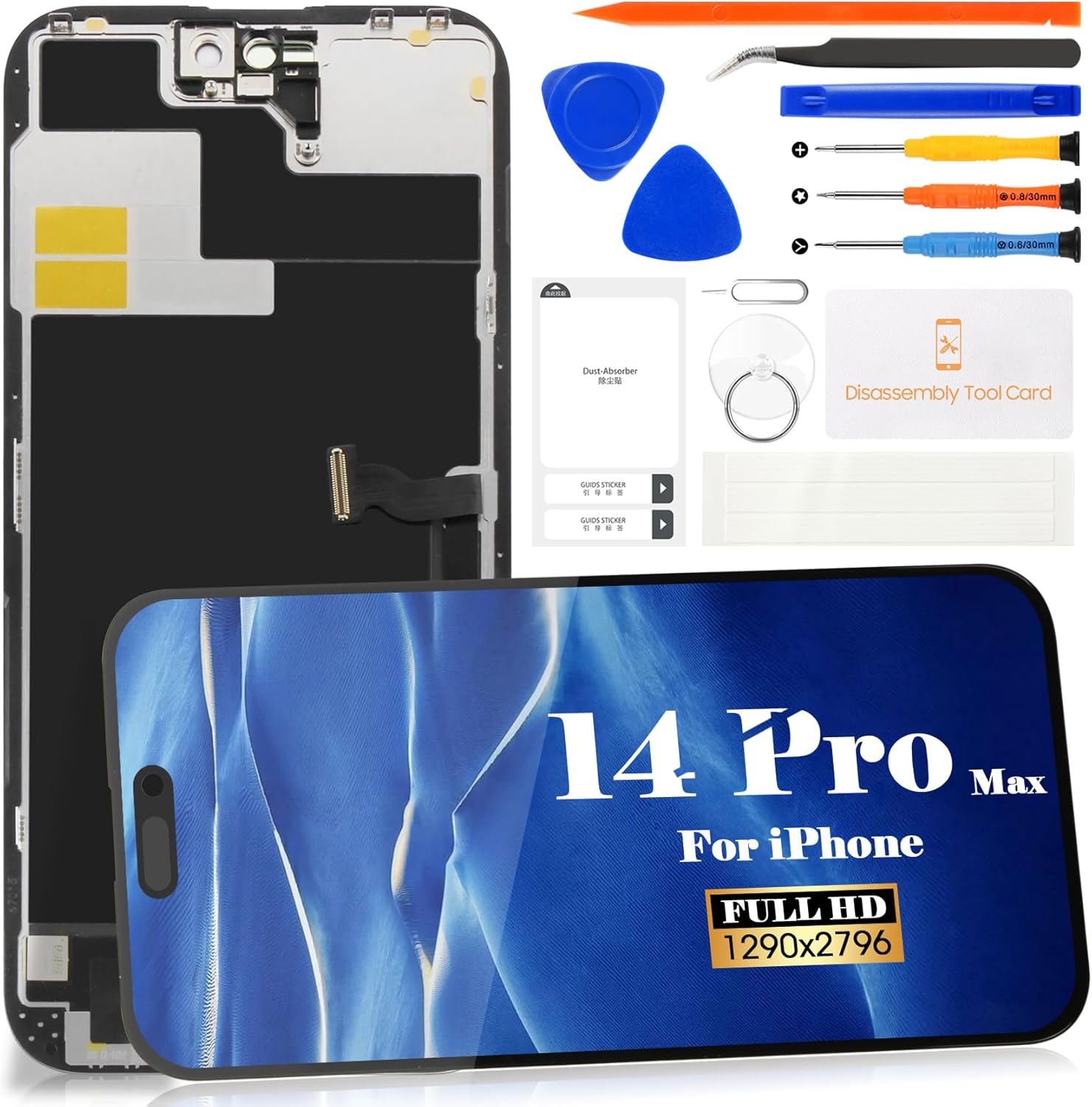
Description:
What's in the box
Details:
Visit the SRJTEK Store
SRJTEK Screen Replacement for iPhone 14 Pro Max 6.7" INCELL DIY Repair Kit Premium LCD Display Touch Digitizer Assembly with Tools & Adhesive, for A2651 A2893 A2894 A2895
QAR16799
Quantity:
Order today to get by 7-14 business days
Delivery fee of QAR 20. Free for orders above QAR 200.
 Imported From: United States
At BOLO, we work hard to ensure the products you receive are new, genuine, and sourced from reputable suppliers.
Every product in the BOLO catalogue is sourced through our Verified Global Supply Network of verified sellers, authorized distributors or directly from the manufacturer.
Each product undergoes thorough inspection and verification at our consolidation and fulfilment centers to ensure it meets our strict authenticity and quality standards before being shipped and delivered to you.
If you ever have concerns regarding the authenticity of a product purchased from us, please contact Bolo Support. We will review your inquiry promptly and, if necessary, provide documentation verifying authenticity or offer a suitable resolution.
Your trust is our top priority, and we are committed to maintaining transparency and integrity in every transaction.
While we strive to display accurate information, variations in packaging, labeling, instructions, or formulation may occasionally occur due to regional differences or supplier updates. For detailed or manufacturer-specific information, please contact the brand directly or reach out to BOLO Support for assistance.
Unless otherwise stated, all prices displayed on the product page include applicable taxes and import duties.
BOLO operates in accordance with the laws and regulations of Qatar. Any items found to be restricted or prohibited for sale within the Qatar will be cancelled prior to shipment. We take proactive measures to ensure that only products permitted for sale in Qatar are listed on our website.
All items are shipped by air, and any products classified as “Dangerous Goods (DG)” under IATA regulations will be removed from the order and cancelled.
All orders are processed manually, and we make every effort to process them promptly once confirmed. Products cancelled due to the above reasons will be permanently removed from listings across the website.
Product Details:


With the new technological upgrade, the user experience is enhanced to perfection:
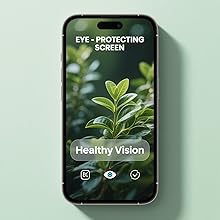
Eye Protection Screen
- Enhanced eye protection: filters blue light, reduces strain, safeguards vision.
- Upgraded scratch resistance: wear-resistant, scratch-proof, fingerprint-free.

HD Display Screen
- High Definition (HD) Display Screen
- The touch feels as smooth as ever.
- high-quality products
- Strengthen screen hardness

Display Bright Colors
- Increase brightness, high-definition, 4K Color, high brightness +200
- Clear Display and Bright Colors,Stunning colors
- The screen color sense same as original screen

Easy To Install
- Brand new intact screen, easy to install.
- Not need to disassemble and replace the original machine accessories during installation, even novices can quickly get started installation
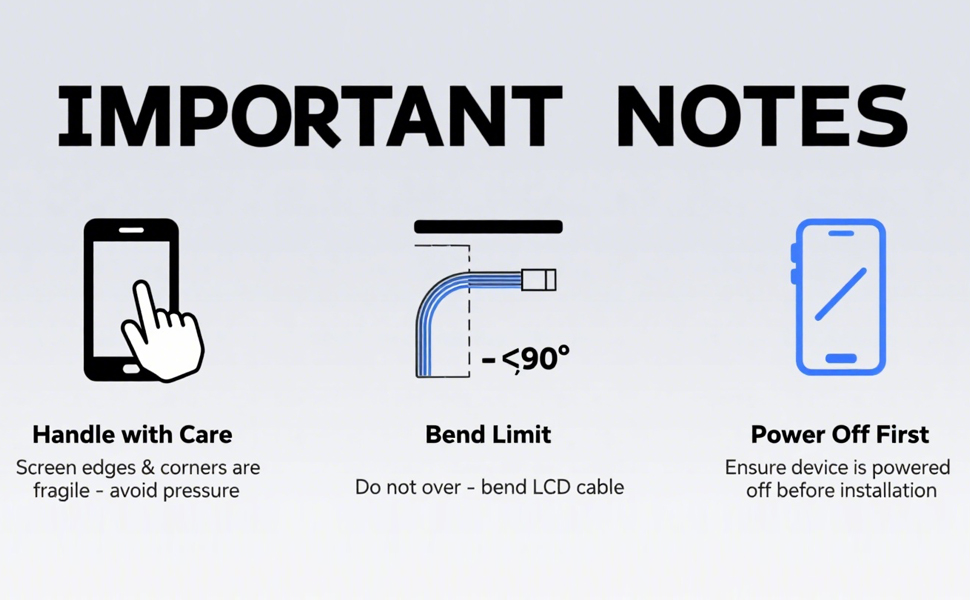
CRITICAL INSTALLATION TIPS - PLEASE READ BEFORE YOU START
Screen replacement parts are delicate. Follow these guidelines to ensure a successful repair and avoid accidental damage:
• Handle with Care: The screen edges and corners are fragile. Avoid pressing or applying pressure to these areas during unpacking and installation.
• Protect the Flex Cable: Never bend the LCD flex cable beyond 90 degrees. Excessive bending will cause permanent display failure.
• Disconnect Battery First: Always power off the phone and disconnect the battery cable before connecting or disconnecting the screen. This prevents static damage to the logic board.
• Organize Your Screws: Different sizes and lengths of screws are used throughout the assembly. Mark their positions during disassembly to ensure correct placement when reassembling.
• Troubleshooting Lines or Touch Issues: If lines appear or touch becomes unresponsive after installation, remove the screen, clean the connector contacts, and firmly reseat the flex cables.
More from this brand
Similar items from “Screens”
Share with
Or share with link
https://www.bolo.qa/products/UO0Q3GYCDY8
Visit the SRJTEK Store
SRJTEK Screen Replacement for iPhone 14 Pro Max 6.7" INCELL DIY Repair Kit Premium LCD Display Touch Digitizer Assembly with Tools & Adhesive, for A2651 A2893 A2894 A2895
QAR16799
Quantity:
Order today to get by 7-14 business days
Delivery fee of QAR 20. Free for orders above QAR 200.
Imported From: United States
At BOLO, we work hard to ensure the products you receive are new, genuine, and sourced from reputable suppliers.
Every product in the BOLO catalogue is sourced through our Verified Global Supply Network of verified sellers, authorized distributors or directly from the manufacturer.
Each product undergoes thorough inspection and verification at our consolidation and fulfilment centers to ensure it meets our strict authenticity and quality standards before being shipped and delivered to you.
If you ever have concerns regarding the authenticity of a product purchased from us, please contact Bolo Support. We will review your inquiry promptly and, if necessary, provide documentation verifying authenticity or offer a suitable resolution.
Your trust is our top priority, and we are committed to maintaining transparency and integrity in every transaction.
While we strive to display accurate information, variations in packaging, labeling, instructions, or formulation may occasionally occur due to regional differences or supplier updates. For detailed or manufacturer-specific information, please contact the brand directly or reach out to BOLO Support for assistance.
Unless otherwise stated, all prices displayed on the product page include applicable taxes and import duties.
BOLO operates in accordance with the laws and regulations of Qatar. Any items found to be restricted or prohibited for sale within the Qatar will be cancelled prior to shipment. We take proactive measures to ensure that only products permitted for sale in Qatar are listed on our website.
All items are shipped by air, and any products classified as “Dangerous Goods (DG)” under IATA regulations will be removed from the order and cancelled.
All orders are processed manually, and we make every effort to process them promptly once confirmed. Products cancelled due to the above reasons will be permanently removed from listings across the website.
Description:
What's in the box
Details:
Product Details:
With the new technological upgrade, the user experience is enhanced to perfection:
Eye Protection Screen
- Enhanced eye protection: filters blue light, reduces strain, safeguards vision.
- Upgraded scratch resistance: wear-resistant, scratch-proof, fingerprint-free.
HD Display Screen
- High Definition (HD) Display Screen
- The touch feels as smooth as ever.
- high-quality products
- Strengthen screen hardness
Display Bright Colors
- Increase brightness, high-definition, 4K Color, high brightness +200
- Clear Display and Bright Colors,Stunning colors
- The screen color sense same as original screen
Easy To Install
- Brand new intact screen, easy to install.
- Not need to disassemble and replace the original machine accessories during installation, even novices can quickly get started installation
CRITICAL INSTALLATION TIPS - PLEASE READ BEFORE YOU START
Screen replacement parts are delicate. Follow these guidelines to ensure a successful repair and avoid accidental damage:
• Handle with Care: The screen edges and corners are fragile. Avoid pressing or applying pressure to these areas during unpacking and installation.
• Protect the Flex Cable: Never bend the LCD flex cable beyond 90 degrees. Excessive bending will cause permanent display failure.
• Disconnect Battery First: Always power off the phone and disconnect the battery cable before connecting or disconnecting the screen. This prevents static damage to the logic board.
• Organize Your Screws: Different sizes and lengths of screws are used throughout the assembly. Mark their positions during disassembly to ensure correct placement when reassembling.
• Troubleshooting Lines or Touch Issues: If lines appear or touch becomes unresponsive after installation, remove the screen, clean the connector contacts, and firmly reseat the flex cables.
More from this brand
Similar items from “Screens”
Share with
Or share with link
https://www.bolo.qa/products/UO0Q3GYCDY8