Deliver toQatar
MAYFLASH Magic-S PRO 2 Wireless Bluetooth USB Adapter for PS4, Switch/Switch 2, macOS, Windows, Raspberry Pi, Compatible with Xbox Series X & S Controller, Xbox One Bluetooth, PS5 Controller and More

Description:

  • Bluetooth Controller Compatibility: Xbox Series X Controller, Xbox Series S Controller, Xbox One Bluetooth Controller, Xbox Elite Wireless Controller Series 2, PS5/PS4/PS3 Controller, Switch Pro, Wii mote, Wii U Pro and more. These are the controllers you connect TO the adapter - the adapter itself is NOT a PS5 console adapter; see the System Compatibility bullet for the systems it plugs into. Only ONE Bluetooth controller works with one adapter at a time. The adapter remembers up to 6 paired controllers, but only one if it is a BLE controller such as Xbox Series X/S. Switch 2 Joy-Con 2 and the Switch 2 Pro Controller are not on the supported controller list.
  • Wired USB Controller Compatibility: The wireless controller that comes from your console will become a wired controller by simply connecting a standard USB cable. Full supported wired list: DualSense, DualShock 4, DualShock 3, Xbox Bluetooth Controller, Switch Pro, ASTRO Gaming C40 TR, PlayStation 4 SCUF Vantage 2, SEGA MEGA DRIVE and SEGA Genesis Mini USB pads, Logitech F510 and F310, PS Classic Controller, Switch Taiko Drum, PS4 Taiko Drum. Exception: Xbox 360 requires an official Microsoft wired Xbox 360 controller. For best results use original Switch controllers, or genuine Xbox or PlayStation controllers, and quality certified USB cables.
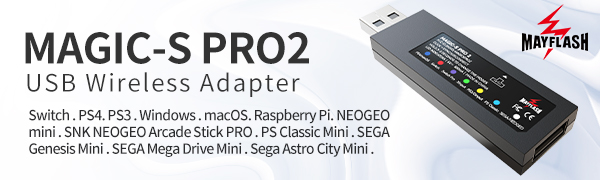
  • System Compatibility: PS4, Switch/Switch 2, Steam Deck, macOS, PC Windows, Raspberry Pi, PS3, PS Classic, MEGA DRIVE mini, Genesis Mini , NEOGEO mini, SNK NEOGEO Arcade Stick PRO, SEGA Astro City Mini and Evercade VS. PS5 is NOT a supported system - this adapter does not work on a PlayStation 5 console. Steam Deck and Evercade VS run in Xinput mode (LED green) and need firmware M:V1.10 and M:V1.14 or later. A USB Type C cable is included in the packaging - it is a USB-C to USB-A female adapter cable so you can use the adapter on a USB-C port; it is not a controller charging or data cable.
  • Supports Turbo and Auto Fire (firmware M:V1.09 or later; enter with View/SHARE/SELECT + D-Pad Up 3s, then View + button: 1st press Turbo, 2nd Auto Fire, 3rd off; 3 speeds: 5/15/25 shots per second; exit with View + D-Pad Down 3s. Note: enabling Turbo increases input lag on A, B, X, Y, LB, LT, RB and RT). Supports 6-axis motion (gyroscope) on PS4 and Switch/Switch 2 - on Switch you must use Switch Pro mode (LED purple); Switch mode (LED red) does not support 6-axis motion or vibration. Supports rumble on PS4, Switch/Switch 2 (Switch Pro mode, LED purple), Xinput and PS3. The rumble intensity and dead zone can be adjusted - 7 levels each, vibration default 100%, dead zone default Level 3.
  • Supports Touch Pad on PS4 only - the touch pad is not supported on any other system. On Switch the PS4 touch pad button works as the Capture button. Supports Bluetooth Headsets on PS4 and Switch: PS4 mode (LED blue) supports both A2DP high quality audio and HFP audio-and-chat - hold START + X/square for HFP, START + Y/triangle for A2DP; Switch mode (LED red) supports A2DP only. MAGIC-S PRO 2 can not connect MAYFLASH Arcade Sticks F300 and F500 to work on PS5 for PS5 games(MAGIC-S PRO 1 can).
  • PLEASE READ BEFORE YOU BUY - PS5 OWNERS: this adapter does NOT work on a PlayStation 5 console. It will not let you use an Xbox, Switch or other controller on a PS5, and it does not work with PS5 games. "PS5 Controller" in the title means the PS5 DualSense is one of the controllers you connect TO the adapter, so you can use it ON a PS4, Switch, Switch 2, Windows PC, macOS, PS3, Raspberry Pi, Steam Deck, PS Classic, NEOGEO mini, NEOGEO Arcade Stick PRO, SEGA Genesis / MEGA DRIVE / Astro City Mini or Evercade VS. If you want to use a non-PS5 controller on a PS5 console, this is not the right product.
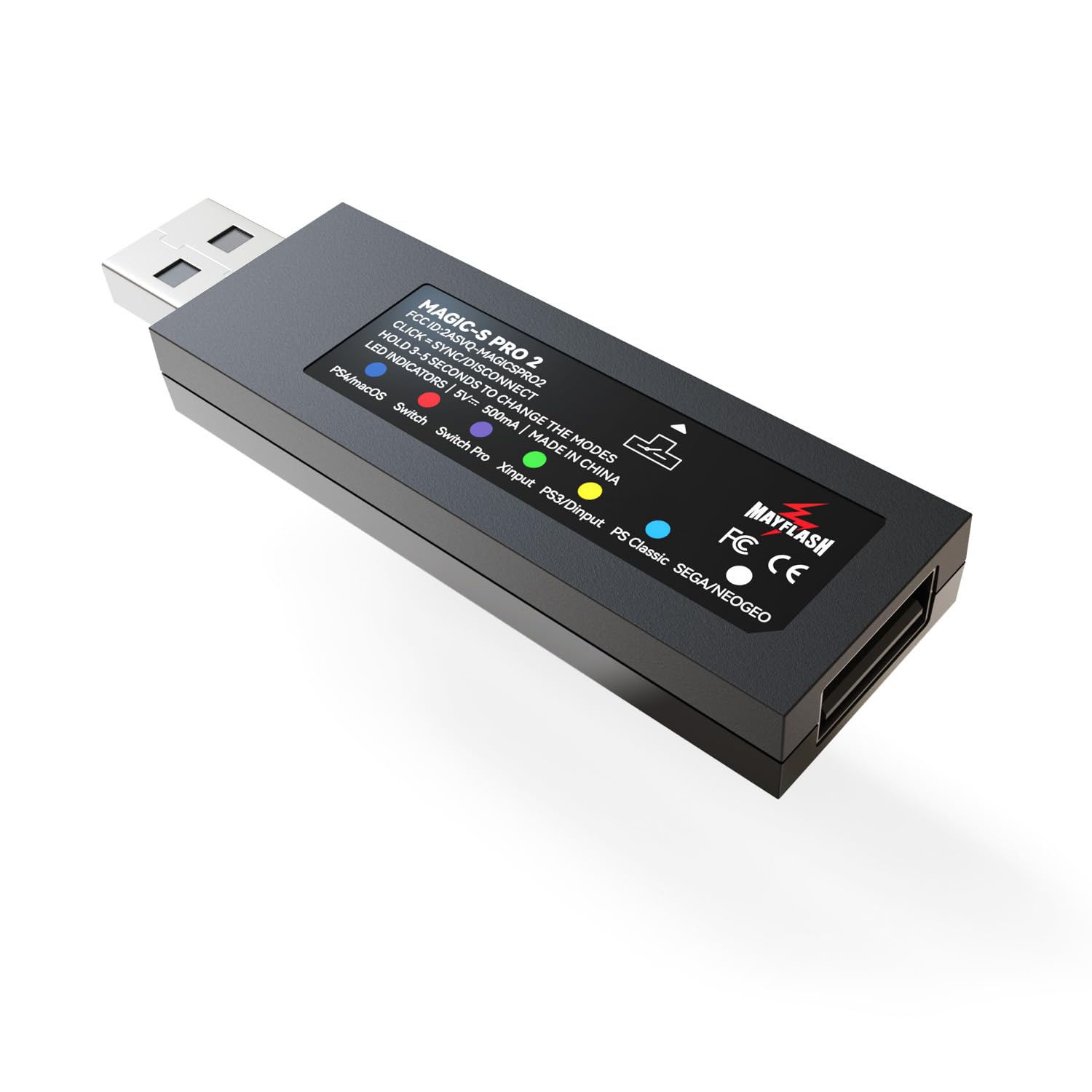
  • LED COLOUR = SYSTEM MODE. Blue: PS4 / macOS. Red: Switch. Purple: Switch Pro. Yellow: PS3, PC DirectInput, Raspberry Pi. Green: PC Xinput, Raspberry Pi, Steam Deck, Evercade VS. White: NEOGEO Arcade Stick PRO, NEOGEO mini, SEGA MEGA DRIVE Mini, SEGA Genesis Mini, SEGA Astro City Mini. Cyan: PS Classic. Most systems are detected automatically; if not, press and HOLD the button on the side of the adapter for 3-5 seconds to change mode. LED blinking slowly = not connected yet, blinking quickly = pairing, solid = connected. In Switch Pro mode (purple) you must turn ON System Settings > Controllers and Sensors > Pro Controller Wired Communication, or the controller will not respond.
  • SET UP IN 4 STEPS: 1. Plug the adapter into a spare USB port on your console or PC. 2. Check the LED colour matches your system - press and hold the side button for 3-5 seconds to change it. 3. Wired controller: plug it into the USB-A port on the adapter and it is ready to use. Bluetooth controller: turn the controller on, press the side button on the adapter once, then press the pair button on your controller - the LED blinks quickly. 4. The LED becomes solid when the connection succeeds; pairing can take a few seconds and may drop and reconnect once, so please wait. A wired and a Bluetooth controller can be connected at the same time, but they act as ONE player, not two.
  • FIRMWARE UPDATES FIX MOST CONNECTION ISSUES - the updater is free at mayflash.com/Support. A Windows PC is needed to run the updater (it is a Windows program); the adapter itself works on your console without a PC. Hold the button on the side while plugging the adapter into the PC, wait 3-5 seconds, release, then click Update and do not unplug until it reports success.
  • Details:

    MAYFLASH Magic-S PRO 2 Wireless Bluetooth USB Adapter for PS4, Switch/Switch 2, macOS, Windows, Raspberry Pi, Compatible with Xbox Series X & S Controller, Xbox One Bluetooth, PS5 Controller and More

    Product ID: UO09LEOMMD3
    Condition: New

    QAR15250

    Price includes VAT & Import Duties
    Size: MAGIC-S PRO 2
    Availability: In Stock

    Quantity:

    |

    Order today to get by 7-14 business days

    Delivery fee of QAR 20. Free for orders above QAR 200.

    Returns & Warranty policies

    Imported From: United States

    At BOLO, we work hard to ensure the products you receive are new, genuine, and sourced from reputable suppliers.

    Every product in the BOLO catalogue is sourced through our Verified Global Supply Network of verified sellers, authorized distributors or directly from the manufacturer.

    Each product undergoes thorough inspection and verification at our consolidation and fulfilment centers to ensure it meets our strict authenticity and quality standards before being shipped and delivered to you.

    If you ever have concerns regarding the authenticity of a product purchased from us, please contact Bolo Support. We will review your inquiry promptly and, if necessary, provide documentation verifying authenticity or offer a suitable resolution.

    Your trust is our top priority, and we are committed to maintaining transparency and integrity in every transaction.

    While we strive to display accurate information, variations in packaging, labeling, instructions, or formulation may occasionally occur due to regional differences or supplier updates. For detailed or manufacturer-specific information, please contact the brand directly or reach out to BOLO Support for assistance.

    Unless otherwise stated, all prices displayed on the product page include applicable taxes and import duties.

    BOLO operates in accordance with the laws and regulations of Qatar. Any items found to be restricted or prohibited for sale within the Qatar will be cancelled prior to shipment. We take proactive measures to ensure that only products permitted for sale in Qatar are listed on our website.

    All items are shipped by air, and any products classified as “Dangerous Goods (DG)” under IATA regulations will be removed from the order and cancelled.

    All orders are processed manually, and we make every effort to process them promptly once confirmed. Products cancelled due to the above reasons will be permanently removed from listings across the website.
    Product details by manufacturer

    LED Indicators

    Product details by manufacturer

    USB Port and the Button on the side

    USB A-Female:

    • Connect the wired PS5,PS4,PS3,Switch Pro, XboxOne X/S, Xbox Series X/S, Xbox 360 controllers or fightsticks, or standard wired USB controllers to the adapter.

    Button on the side of the adapter:

    • Used for the modes switching and Bluetooth pairing
    Product details by manufacturer

    LED Indicators

    There are seven colors of this LED indicator to show seven different working modes.

    Note: Please make sure "Pro Controller Wired Communication" is "ON" in the System Setting on Switch Pro mode (LED is Purple).

    Product details by manufacturer

    LED Indicators and Modes

    • LED Indicator in Blue: PS4/macOS mode
    • LED Indicator in Red: Switch mode
    • LED Indicator in Purple: Switch Pro mode
    • LED Indicator in Yellow: PS3 or PC Dinput or Raspberry Pi mode
    • LED Indicator in Green: PC Xinput or Raspberry Pi mode
    • LED Indicator in White: NEOGEO/SEGA mode
    • LED Indicator in Cyan: PS Classic mode

    Turbo, Auto Fire, Gyroscope, Touch Pad

    Product details by manufacturer

    Turbo and Auto Fire are Compatible.

    The 8 functional buttons on your controller can be set for Turbo and Auto Fire.

    There are 3 Turob Speed.

    You can get more detailed settings from MAYFLASH web.

    Product details by manufacturer

    6-Axis Motion (Gyroscope)

    Supports 6-axis motion (gyroscope) on PS4 and Switch.

    Product details by manufacturer

    Touch Pad function

    Supports touch pad function when you use your controller on PS4 console.

    Adjust the vibration and dead zone

    Product details by manufacturer

    Mapping

    Button remapping for ABXY.

    Product details by manufacturer

    Dead Zone

    Adjust the dead zone by 7 different levels.

    Product details by manufacturer

    Vibration

    Modify the vibration intensity by 7 different values.

    A Customized USB C Cable Included

    Product details by manufacturer

    A Customized High Quality USB Type C Cable Included.

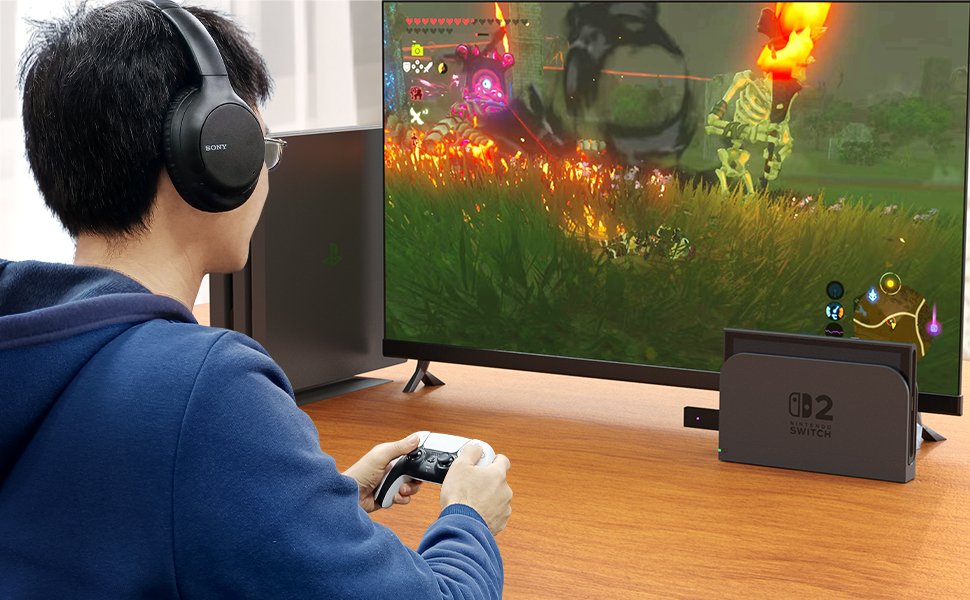
    Supports Bluetooth Headset
    Product details by manufacturer

    Supports Bluetooth headsets on PS4 mode (Indicator Blue) and Switch mode (Indicator Red).

    * PS4 mode works with both A2DP(High quality audio signals) and HFP(Audio and chatting) connections.

    * Switch mode only works with A2DP connection.

    * See more details on the included User Manual.

    More from this brand

    Similar items from “PlayStation 4”

    MAYFLASH Magic-S PRO 2 Wireless Bluetooth USB Adapter for PS4, Switch/Switch 2, macOS, Windows, Raspberry Pi, Compatible with Xbox Series X & S Controller, Xbox One Bluetooth, PS5 Controller and More

    Product ID: UO09LEOMMD3
    Condition: New
    MAYFLASH Magic-S PRO 2 Wireless Bluetooth USB Adapter for PS4, Switch/Switch 2, macOS, Windows, Raspberry Pi, Compatible with Xbox Series X & S Controller, Xbox One Bluetooth, PS5 Controller and More-0
    Size: MAGIC-S PRO 2

    QAR15250

    Price includes VAT & Import Duties
    Availability: In Stock

    Quantity:

    |

    Order today to get by 7-14 business days

    Delivery fee of QAR 20. Free for orders above QAR 200.

    Returns & Warranty policies

    Imported From: United States

    At BOLO, we work hard to ensure the products you receive are new, genuine, and sourced from reputable suppliers.

    Every product in the BOLO catalogue is sourced through our Verified Global Supply Network of verified sellers, authorized distributors or directly from the manufacturer.

    Each product undergoes thorough inspection and verification at our consolidation and fulfilment centers to ensure it meets our strict authenticity and quality standards before being shipped and delivered to you.

    If you ever have concerns regarding the authenticity of a product purchased from us, please contact Bolo Support. We will review your inquiry promptly and, if necessary, provide documentation verifying authenticity or offer a suitable resolution.

    Your trust is our top priority, and we are committed to maintaining transparency and integrity in every transaction.

    While we strive to display accurate information, variations in packaging, labeling, instructions, or formulation may occasionally occur due to regional differences or supplier updates. For detailed or manufacturer-specific information, please contact the brand directly or reach out to BOLO Support for assistance.

    Unless otherwise stated, all prices displayed on the product page include applicable taxes and import duties.

    BOLO operates in accordance with the laws and regulations of Qatar. Any items found to be restricted or prohibited for sale within the Qatar will be cancelled prior to shipment. We take proactive measures to ensure that only products permitted for sale in Qatar are listed on our website.

    All items are shipped by air, and any products classified as “Dangerous Goods (DG)” under IATA regulations will be removed from the order and cancelled.

    All orders are processed manually, and we make every effort to process them promptly once confirmed. Products cancelled due to the above reasons will be permanently removed from listings across the website.

    Description:

  • Bluetooth Controller Compatibility: Xbox Series X Controller, Xbox Series S Controller, Xbox One Bluetooth Controller, Xbox Elite Wireless Controller Series 2, PS5/PS4/PS3 Controller, Switch Pro, Wii mote, Wii U Pro and more. These are the controllers you connect TO the adapter - the adapter itself is NOT a PS5 console adapter; see the System Compatibility bullet for the systems it plugs into. Only ONE Bluetooth controller works with one adapter at a time. The adapter remembers up to 6 paired controllers, but only one if it is a BLE controller such as Xbox Series X/S. Switch 2 Joy-Con 2 and the Switch 2 Pro Controller are not on the supported controller list.
  • Wired USB Controller Compatibility: The wireless controller that comes from your console will become a wired controller by simply connecting a standard USB cable. Full supported wired list: DualSense, DualShock 4, DualShock 3, Xbox Bluetooth Controller, Switch Pro, ASTRO Gaming C40 TR, PlayStation 4 SCUF Vantage 2, SEGA MEGA DRIVE and SEGA Genesis Mini USB pads, Logitech F510 and F310, PS Classic Controller, Switch Taiko Drum, PS4 Taiko Drum. Exception: Xbox 360 requires an official Microsoft wired Xbox 360 controller. For best results use original Switch controllers, or genuine Xbox or PlayStation controllers, and quality certified USB cables.
  • System Compatibility: PS4, Switch/Switch 2, Steam Deck, macOS, PC Windows, Raspberry Pi, PS3, PS Classic, MEGA DRIVE mini, Genesis Mini , NEOGEO mini, SNK NEOGEO Arcade Stick PRO, SEGA Astro City Mini and Evercade VS. PS5 is NOT a supported system - this adapter does not work on a PlayStation 5 console. Steam Deck and Evercade VS run in Xinput mode (LED green) and need firmware M:V1.10 and M:V1.14 or later. A USB Type C cable is included in the packaging - it is a USB-C to USB-A female adapter cable so you can use the adapter on a USB-C port; it is not a controller charging or data cable.
  • Supports Turbo and Auto Fire (firmware M:V1.09 or later; enter with View/SHARE/SELECT + D-Pad Up 3s, then View + button: 1st press Turbo, 2nd Auto Fire, 3rd off; 3 speeds: 5/15/25 shots per second; exit with View + D-Pad Down 3s. Note: enabling Turbo increases input lag on A, B, X, Y, LB, LT, RB and RT). Supports 6-axis motion (gyroscope) on PS4 and Switch/Switch 2 - on Switch you must use Switch Pro mode (LED purple); Switch mode (LED red) does not support 6-axis motion or vibration. Supports rumble on PS4, Switch/Switch 2 (Switch Pro mode, LED purple), Xinput and PS3. The rumble intensity and dead zone can be adjusted - 7 levels each, vibration default 100%, dead zone default Level 3.
  • Supports Touch Pad on PS4 only - the touch pad is not supported on any other system. On Switch the PS4 touch pad button works as the Capture button. Supports Bluetooth Headsets on PS4 and Switch: PS4 mode (LED blue) supports both A2DP high quality audio and HFP audio-and-chat - hold START + X/square for HFP, START + Y/triangle for A2DP; Switch mode (LED red) supports A2DP only. MAGIC-S PRO 2 can not connect MAYFLASH Arcade Sticks F300 and F500 to work on PS5 for PS5 games(MAGIC-S PRO 1 can).
  • PLEASE READ BEFORE YOU BUY - PS5 OWNERS: this adapter does NOT work on a PlayStation 5 console. It will not let you use an Xbox, Switch or other controller on a PS5, and it does not work with PS5 games. "PS5 Controller" in the title means the PS5 DualSense is one of the controllers you connect TO the adapter, so you can use it ON a PS4, Switch, Switch 2, Windows PC, macOS, PS3, Raspberry Pi, Steam Deck, PS Classic, NEOGEO mini, NEOGEO Arcade Stick PRO, SEGA Genesis / MEGA DRIVE / Astro City Mini or Evercade VS. If you want to use a non-PS5 controller on a PS5 console, this is not the right product.
  • LED COLOUR = SYSTEM MODE. Blue: PS4 / macOS. Red: Switch. Purple: Switch Pro. Yellow: PS3, PC DirectInput, Raspberry Pi. Green: PC Xinput, Raspberry Pi, Steam Deck, Evercade VS. White: NEOGEO Arcade Stick PRO, NEOGEO mini, SEGA MEGA DRIVE Mini, SEGA Genesis Mini, SEGA Astro City Mini. Cyan: PS Classic. Most systems are detected automatically; if not, press and HOLD the button on the side of the adapter for 3-5 seconds to change mode. LED blinking slowly = not connected yet, blinking quickly = pairing, solid = connected. In Switch Pro mode (purple) you must turn ON System Settings > Controllers and Sensors > Pro Controller Wired Communication, or the controller will not respond.
  • SET UP IN 4 STEPS: 1. Plug the adapter into a spare USB port on your console or PC. 2. Check the LED colour matches your system - press and hold the side button for 3-5 seconds to change it. 3. Wired controller: plug it into the USB-A port on the adapter and it is ready to use. Bluetooth controller: turn the controller on, press the side button on the adapter once, then press the pair button on your controller - the LED blinks quickly. 4. The LED becomes solid when the connection succeeds; pairing can take a few seconds and may drop and reconnect once, so please wait. A wired and a Bluetooth controller can be connected at the same time, but they act as ONE player, not two.
  • FIRMWARE UPDATES FIX MOST CONNECTION ISSUES - the updater is free at mayflash.com/Support. A Windows PC is needed to run the updater (it is a Windows program); the adapter itself works on your console without a PC. Hold the button on the side while plugging the adapter into the PC, wait 3-5 seconds, release, then click Update and do not unplug until it reports success.
  • Details:

    Product details by manufacturer

    LED Indicators

    Product details by manufacturer

    USB Port and the Button on the side

    USB A-Female:

    • Connect the wired PS5,PS4,PS3,Switch Pro, XboxOne X/S, Xbox Series X/S, Xbox 360 controllers or fightsticks, or standard wired USB controllers to the adapter.

    Button on the side of the adapter:

    • Used for the modes switching and Bluetooth pairing
    Product details by manufacturer

    LED Indicators

    There are seven colors of this LED indicator to show seven different working modes.

    Note: Please make sure "Pro Controller Wired Communication" is "ON" in the System Setting on Switch Pro mode (LED is Purple).

    Product details by manufacturer

    LED Indicators and Modes

    • LED Indicator in Blue: PS4/macOS mode
    • LED Indicator in Red: Switch mode
    • LED Indicator in Purple: Switch Pro mode
    • LED Indicator in Yellow: PS3 or PC Dinput or Raspberry Pi mode
    • LED Indicator in Green: PC Xinput or Raspberry Pi mode
    • LED Indicator in White: NEOGEO/SEGA mode
    • LED Indicator in Cyan: PS Classic mode

    Turbo, Auto Fire, Gyroscope, Touch Pad

    Product details by manufacturer

    Turbo and Auto Fire are Compatible.

    The 8 functional buttons on your controller can be set for Turbo and Auto Fire.

    There are 3 Turob Speed.

    You can get more detailed settings from MAYFLASH web.

    Product details by manufacturer

    6-Axis Motion (Gyroscope)

    Supports 6-axis motion (gyroscope) on PS4 and Switch.

    Product details by manufacturer

    Touch Pad function

    Supports touch pad function when you use your controller on PS4 console.

    Adjust the vibration and dead zone

    Product details by manufacturer

    Mapping

    Button remapping for ABXY.

    Product details by manufacturer

    Dead Zone

    Adjust the dead zone by 7 different levels.

    Product details by manufacturer

    Vibration

    Modify the vibration intensity by 7 different values.

    A Customized USB C Cable Included

    Product details by manufacturer

    A Customized High Quality USB Type C Cable Included.

    Supports Bluetooth Headset

    Product details by manufacturer

    Supports Bluetooth headsets on PS4 mode (Indicator Blue) and Switch mode (Indicator Red).

    * PS4 mode works with both A2DP(High quality audio signals) and HFP(Audio and chatting) connections.

    * Switch mode only works with A2DP connection.

    * See more details on the included User Manual.

    More from this brand

    Similar items from “PlayStation 4”