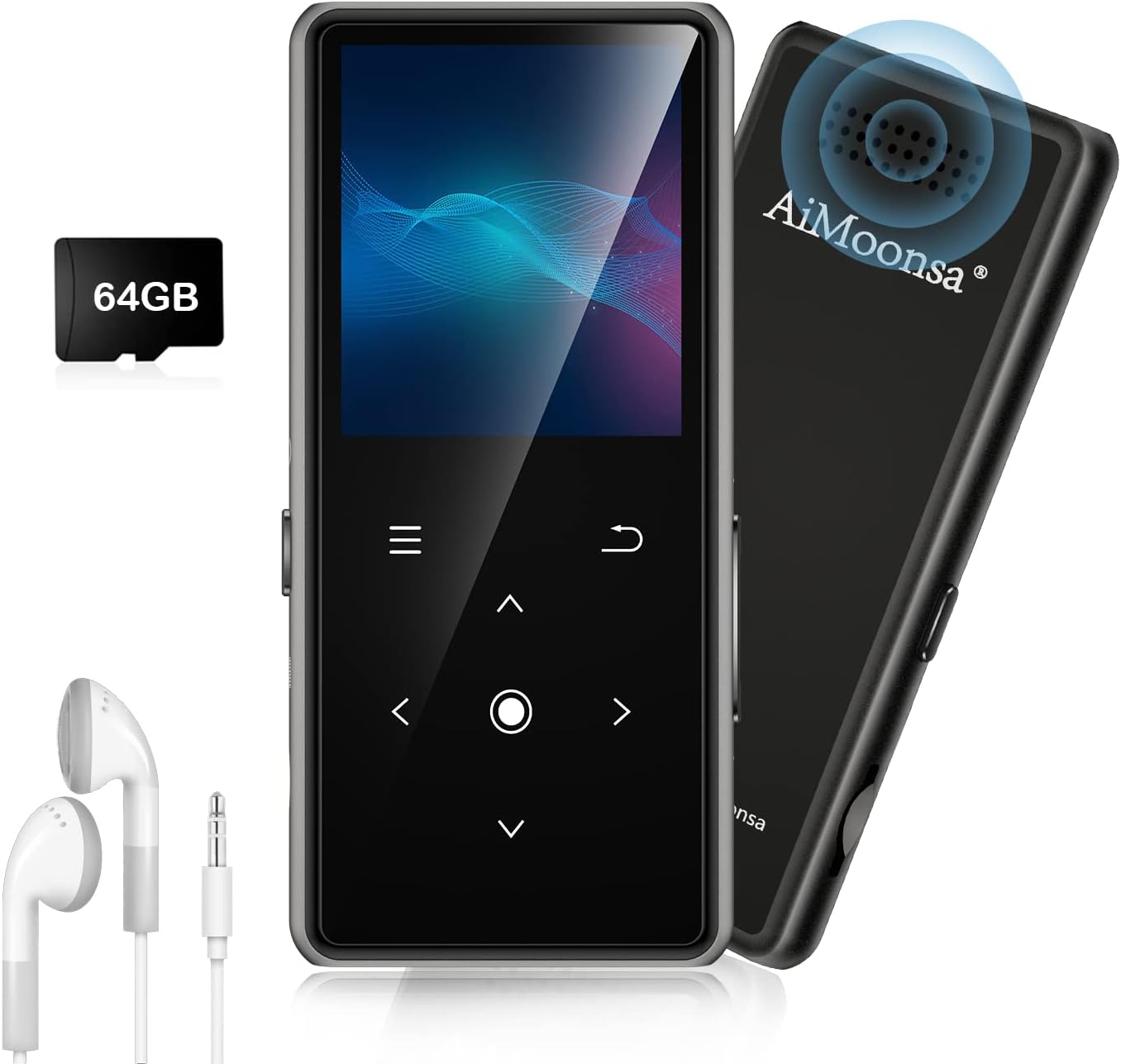
Description:
What's in the box
Details:
| Brand | AiMoonsa |
|---|---|
| Model Name | B27 |
| Special Feature | Built-In Speaker, FM Radio, Voice Recorder |
| Connectivity Technology | Bluetooth |
| Memory Storage Capacity | 64 GB |
| Color | Black - 64GB |
| Screen Size | 1.8 inches |
| Compatible Devices | Personal Computer |
| Media Type | TF card |
| Included Components | MP3 Player,earphone,charger cable,card reader |
Visit the AiMoonsa Store
64GB MP3 Player with Bluetooth 5.2, AiMoonsa Music Player with Built-in HD Speaker, FM Radio, Voice Recorder, HiFi Sound, E-Book, Earphones Included
QAR33601


Quantity:
Order today to get by 7-14 business days
This item qualifies for free delivery
 Imported From: United States
At BOLO, we work hard to ensure the products you receive are new, genuine, and sourced from reputable suppliers.
Every product in the BOLO catalogue is sourced through our Verified Global Supply Network of verified sellers, authorized distributors or directly from the manufacturer.
Each product undergoes thorough inspection and verification at our consolidation and fulfilment centers to ensure it meets our strict authenticity and quality standards before being shipped and delivered to you.
If you ever have concerns regarding the authenticity of a product purchased from us, please contact Bolo Support. We will review your inquiry promptly and, if necessary, provide documentation verifying authenticity or offer a suitable resolution.
Your trust is our top priority, and we are committed to maintaining transparency and integrity in every transaction.
While we strive to display accurate information, variations in packaging, labeling, instructions, or formulation may occasionally occur due to regional differences or supplier updates. For detailed or manufacturer-specific information, please contact the brand directly or reach out to BOLO Support for assistance.
Unless otherwise stated, all prices displayed on the product page include applicable taxes and import duties.
BOLO operates in accordance with the laws and regulations of Qatar. Any items found to be restricted or prohibited for sale within the Qatar will be cancelled prior to shipment. We take proactive measures to ensure that only products permitted for sale in Qatar are listed on our website.
All items are shipped by air, and any products classified as “Dangerous Goods (DG)” under IATA regulations will be removed from the order and cancelled.
All orders are processed manually, and we make every effort to process them promptly once confirmed. Products cancelled due to the above reasons will be permanently removed from listings across the website.


----------FAQ----------
Q:MP3 player cannot be connected with bluetooth headset/speaker.
1. First confirm whether there are other players and Bluetooth headphones/speakers around. (eg your phone) you need to erase these devices in bluetooth and turn off the bluetooth switch. Enter the Bluetooth function of the phone, set all the devices under 'MY DEVICES' to 'Forget This Device'. Then turn off the bluetooth function of the phone .
2. Reset your bluetooth headset/speaker, then put it next to MP3 to search and connect.
Q:Why can't the MP3 player connect to a phone/computer via Bluetooth?
MP3 players, phones, and computers are all Bluetooth signal transmitting devices. They cannot connect to each other directly. They can only connect to Bluetooth receiving devices, such as Bluetooth headphones or Bluetooth speakers.
Q:(a)The mp3 doesn't turn on? (b)How to delete songs on MP3?
(a)Please make sure the device has power. You can charge the MP3 for half an hour, then press and hold the power button for 10 seconds. (b)Select 'Folder' on the main page, find the file you want to delete and click the top left button.
Q:(a)The first time you set up to select another language, you need to switch to English. (b)Experiencing an 'SD card error'?
(a)Select the fifth icon in the main menu screen - select the first option - select 'English'.
(b)Connect the MP3 player to your computer, then format the SD card on your computer. Select "exFAT" as the file system for formatting. After formatting is complete, transfer the music to the SD card again.
More from this brand
Similar items from “MP3 & MP4 Players”
Share with
Or share with link
https://www.bolo.qa/products/UO09D8DWKU5
Visit the AiMoonsa Store
64GB MP3 Player with Bluetooth 5.2, AiMoonsa Music Player with Built-in HD Speaker, FM Radio, Voice Recorder, HiFi Sound, E-Book, Earphones Included
QAR33601
Quantity:
Order today to get by 7-14 business days
This item qualifies for free delivery
Imported From: United States
At BOLO, we work hard to ensure the products you receive are new, genuine, and sourced from reputable suppliers.
Every product in the BOLO catalogue is sourced through our Verified Global Supply Network of verified sellers, authorized distributors or directly from the manufacturer.
Each product undergoes thorough inspection and verification at our consolidation and fulfilment centers to ensure it meets our strict authenticity and quality standards before being shipped and delivered to you.
If you ever have concerns regarding the authenticity of a product purchased from us, please contact Bolo Support. We will review your inquiry promptly and, if necessary, provide documentation verifying authenticity or offer a suitable resolution.
Your trust is our top priority, and we are committed to maintaining transparency and integrity in every transaction.
While we strive to display accurate information, variations in packaging, labeling, instructions, or formulation may occasionally occur due to regional differences or supplier updates. For detailed or manufacturer-specific information, please contact the brand directly or reach out to BOLO Support for assistance.
Unless otherwise stated, all prices displayed on the product page include applicable taxes and import duties.
BOLO operates in accordance with the laws and regulations of Qatar. Any items found to be restricted or prohibited for sale within the Qatar will be cancelled prior to shipment. We take proactive measures to ensure that only products permitted for sale in Qatar are listed on our website.
All items are shipped by air, and any products classified as “Dangerous Goods (DG)” under IATA regulations will be removed from the order and cancelled.
All orders are processed manually, and we make every effort to process them promptly once confirmed. Products cancelled due to the above reasons will be permanently removed from listings across the website.
Description:
What's in the box
Details:
| Brand | AiMoonsa |
|---|---|
| Model Name | B27 |
| Special Feature | Built-In Speaker, FM Radio, Voice Recorder |
| Connectivity Technology | Bluetooth |
| Memory Storage Capacity | 64 GB |
| Color | Black - 64GB |
| Screen Size | 1.8 inches |
| Compatible Devices | Personal Computer |
| Media Type | TF card |
| Included Components | MP3 Player,earphone,charger cable,card reader |
----------FAQ----------
Q:MP3 player cannot be connected with bluetooth headset/speaker.
1. First confirm whether there are other players and Bluetooth headphones/speakers around. (eg your phone) you need to erase these devices in bluetooth and turn off the bluetooth switch. Enter the Bluetooth function of the phone, set all the devices under 'MY DEVICES' to 'Forget This Device'. Then turn off the bluetooth function of the phone .
2. Reset your bluetooth headset/speaker, then put it next to MP3 to search and connect.
Q:Why can't the MP3 player connect to a phone/computer via Bluetooth?
MP3 players, phones, and computers are all Bluetooth signal transmitting devices. They cannot connect to each other directly. They can only connect to Bluetooth receiving devices, such as Bluetooth headphones or Bluetooth speakers.
Q:(a)The mp3 doesn't turn on? (b)How to delete songs on MP3?
(a)Please make sure the device has power. You can charge the MP3 for half an hour, then press and hold the power button for 10 seconds. (b)Select 'Folder' on the main page, find the file you want to delete and click the top left button.
Q:(a)The first time you set up to select another language, you need to switch to English. (b)Experiencing an 'SD card error'?
(a)Select the fifth icon in the main menu screen - select the first option - select 'English'.
(b)Connect the MP3 player to your computer, then format the SD card on your computer. Select "exFAT" as the file system for formatting. After formatting is complete, transfer the music to the SD card again.
More from this brand
Similar items from “MP3 & MP4 Players”
Share with
Or share with link
https://www.bolo.qa/products/UO09D8DWKU5