Description:
What's in the box
Details:
| Brand | OBDLink |
|---|---|
| Power Source | Vehicle |
| Product Dimensions | 3.5"L x 1"W x 1.8"H |
| Operating System | Windows |
| Language | English |
Visit the OBDLink Store
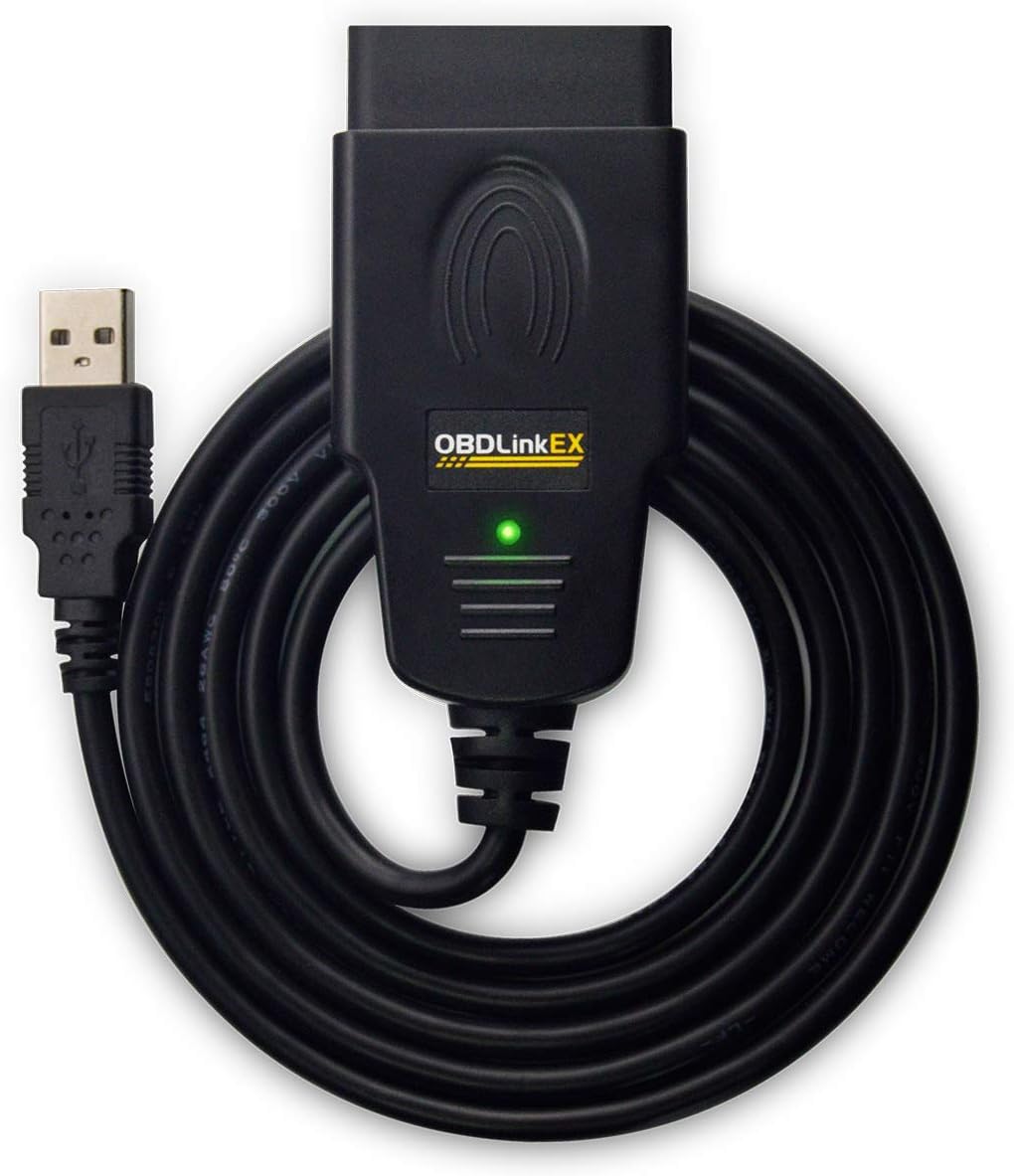
OBDLink EX FORScan OBD Adapter
QAR47669
Quantity:
Order today to get by 7-14 business days
This item qualifies for free delivery
 Imported From: United States
At BOLO, we work hard to ensure the products you receive are new, genuine, and sourced from reputable suppliers.
Every product in the BOLO catalogue is sourced through our Verified Global Supply Network of verified sellers, authorized distributors or directly from the manufacturer.
Each product undergoes thorough inspection and verification at our consolidation and fulfilment centers to ensure it meets our strict authenticity and quality standards before being shipped and delivered to you.
If you ever have concerns regarding the authenticity of a product purchased from us, please contact Bolo Support. We will review your inquiry promptly and, if necessary, provide documentation verifying authenticity or offer a suitable resolution.
Your trust is our top priority, and we are committed to maintaining transparency and integrity in every transaction.
While we strive to display accurate information, variations in packaging, labeling, instructions, or formulation may occasionally occur due to regional differences or supplier updates. For detailed or manufacturer-specific information, please contact the brand directly or reach out to BOLO Support for assistance.
Unless otherwise stated, all prices displayed on the product page include applicable taxes and import duties.
BOLO operates in accordance with the laws and regulations of Qatar. Any items found to be restricted or prohibited for sale within the Qatar will be cancelled prior to shipment. We take proactive measures to ensure that only products permitted for sale in Qatar are listed on our website.
All items are shipped by air, and any products classified as “Dangerous Goods (DG)” under IATA regulations will be removed from the order and cancelled.
All orders are processed manually, and we make every effort to process them promptly once confirmed. Products cancelled due to the above reasons will be permanently removed from listings across the website.


- Access advanced functions not available with the tacky manual toggle switch adapters
- Simultaneously read parameters from ECUs on different CAN networks
- Switch seamlessly between HS-CAN, MS-CAN, and J1850 Ford networks
- “No switch” means no worries about accidentally transmitting on the wrong network


Installing USB drivers for OBDLink EX
Most of the time, OBDLink EX installation is a smooth process: the USB drivers should install automatically as soon as you plug it in. Unfortunately, certain laptop models feature a non-compliant USB 3.0 controller which sometimes causes problems for our customers. If you receive "USB not recognized" or similar error messages, try one of the following solutions:
- Plug OBDLink into a different USB port
- Connect OBDLink via a USB 2.0 hub
- Manually install the FTDI USB drivers
If none of the above solutions work, please contact OBDLink Support.
Similar suggestions by Bolo
More from this brand
Similar items from “Code Readers & Scan Tools”
Share with
Or share with link
https://www.bolo.qa/products/UO081IDIQ3S
Visit the OBDLink Store
OBDLink EX FORScan OBD Adapter
QAR47669
Quantity:
Order today to get by 7-14 business days
This item qualifies for free delivery
Imported From: United States
At BOLO, we work hard to ensure the products you receive are new, genuine, and sourced from reputable suppliers.
Every product in the BOLO catalogue is sourced through our Verified Global Supply Network of verified sellers, authorized distributors or directly from the manufacturer.
Each product undergoes thorough inspection and verification at our consolidation and fulfilment centers to ensure it meets our strict authenticity and quality standards before being shipped and delivered to you.
If you ever have concerns regarding the authenticity of a product purchased from us, please contact Bolo Support. We will review your inquiry promptly and, if necessary, provide documentation verifying authenticity or offer a suitable resolution.
Your trust is our top priority, and we are committed to maintaining transparency and integrity in every transaction.
While we strive to display accurate information, variations in packaging, labeling, instructions, or formulation may occasionally occur due to regional differences or supplier updates. For detailed or manufacturer-specific information, please contact the brand directly or reach out to BOLO Support for assistance.
Unless otherwise stated, all prices displayed on the product page include applicable taxes and import duties.
BOLO operates in accordance with the laws and regulations of Qatar. Any items found to be restricted or prohibited for sale within the Qatar will be cancelled prior to shipment. We take proactive measures to ensure that only products permitted for sale in Qatar are listed on our website.
All items are shipped by air, and any products classified as “Dangerous Goods (DG)” under IATA regulations will be removed from the order and cancelled.
All orders are processed manually, and we make every effort to process them promptly once confirmed. Products cancelled due to the above reasons will be permanently removed from listings across the website.
Description:
What's in the box
Details:
| Brand | OBDLink |
|---|---|
| Power Source | Vehicle |
| Product Dimensions | 3.5"L x 1"W x 1.8"H |
| Operating System | Windows |
| Language | English |
- Access advanced functions not available with the tacky manual toggle switch adapters
- Simultaneously read parameters from ECUs on different CAN networks
- Switch seamlessly between HS-CAN, MS-CAN, and J1850 Ford networks
- “No switch” means no worries about accidentally transmitting on the wrong network
Installing USB drivers for OBDLink EX
Most of the time, OBDLink EX installation is a smooth process: the USB drivers should install automatically as soon as you plug it in. Unfortunately, certain laptop models feature a non-compliant USB 3.0 controller which sometimes causes problems for our customers. If you receive "USB not recognized" or similar error messages, try one of the following solutions:
- Plug OBDLink into a different USB port
- Connect OBDLink via a USB 2.0 hub
- Manually install the FTDI USB drivers
If none of the above solutions work, please contact OBDLink Support.
Similar suggestions by Bolo
More from this brand
Similar items from “Code Readers & Scan Tools”
Share with
Or share with link
https://www.bolo.qa/products/UO081IDIQ3S