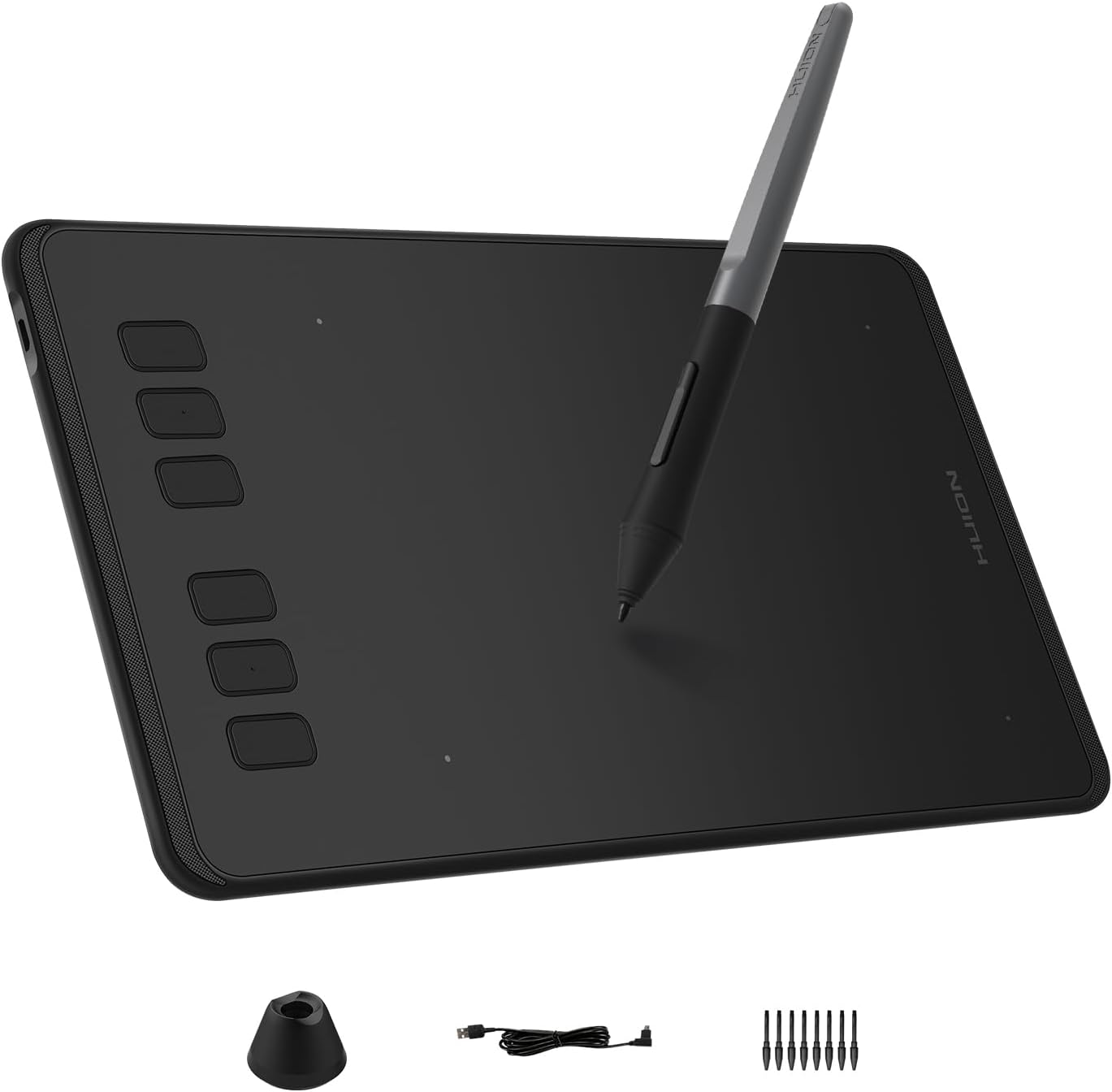
Description:
What's in the box
Details:
| Brand | HUION |
|---|---|
| Connectivity Technology | USB |
| Pressure Sensitivity | 8192 levels |
| Operating System | Android 6.0 and above, Linux(Ubuntu), Mac OS 10.12 and above, Windows 7 and above |
| Special Feature | Android Device Supported, Extra-Slim, Portable, Programmable Press Key |
Visit the HUION Store
HUION Inspiroy H640P 6x4 inch Drawing Tablet 8192 Pen Pressure
QAR18703
Quantity:
Order today to get by 7-14 business days
Delivery fee of QAR 20. Free for orders above QAR 200.
 Imported From: United States
At BOLO, we work hard to ensure the products you receive are new, genuine, and sourced from reputable suppliers.
Every product in the BOLO catalogue is sourced through our Verified Global Supply Network of verified sellers, authorized distributors or directly from the manufacturer.
Each product undergoes thorough inspection and verification at our consolidation and fulfilment centers to ensure it meets our strict authenticity and quality standards before being shipped and delivered to you.
If you ever have concerns regarding the authenticity of a product purchased from us, please contact Bolo Support. We will review your inquiry promptly and, if necessary, provide documentation verifying authenticity or offer a suitable resolution.
Your trust is our top priority, and we are committed to maintaining transparency and integrity in every transaction.
While we strive to display accurate information, variations in packaging, labeling, instructions, or formulation may occasionally occur due to regional differences or supplier updates. For detailed or manufacturer-specific information, please contact the brand directly or reach out to BOLO Support for assistance.
Unless otherwise stated, all prices displayed on the product page include applicable taxes and import duties.
BOLO operates in accordance with the laws and regulations of Qatar. Any items found to be restricted or prohibited for sale within the Qatar will be cancelled prior to shipment. We take proactive measures to ensure that only products permitted for sale in Qatar are listed on our website.
All items are shipped by air, and any products classified as “Dangerous Goods (DG)” under IATA regulations will be removed from the order and cancelled.
All orders are processed manually, and we make every effort to process them promptly once confirmed. Products cancelled due to the above reasons will be permanently removed from listings across the website.
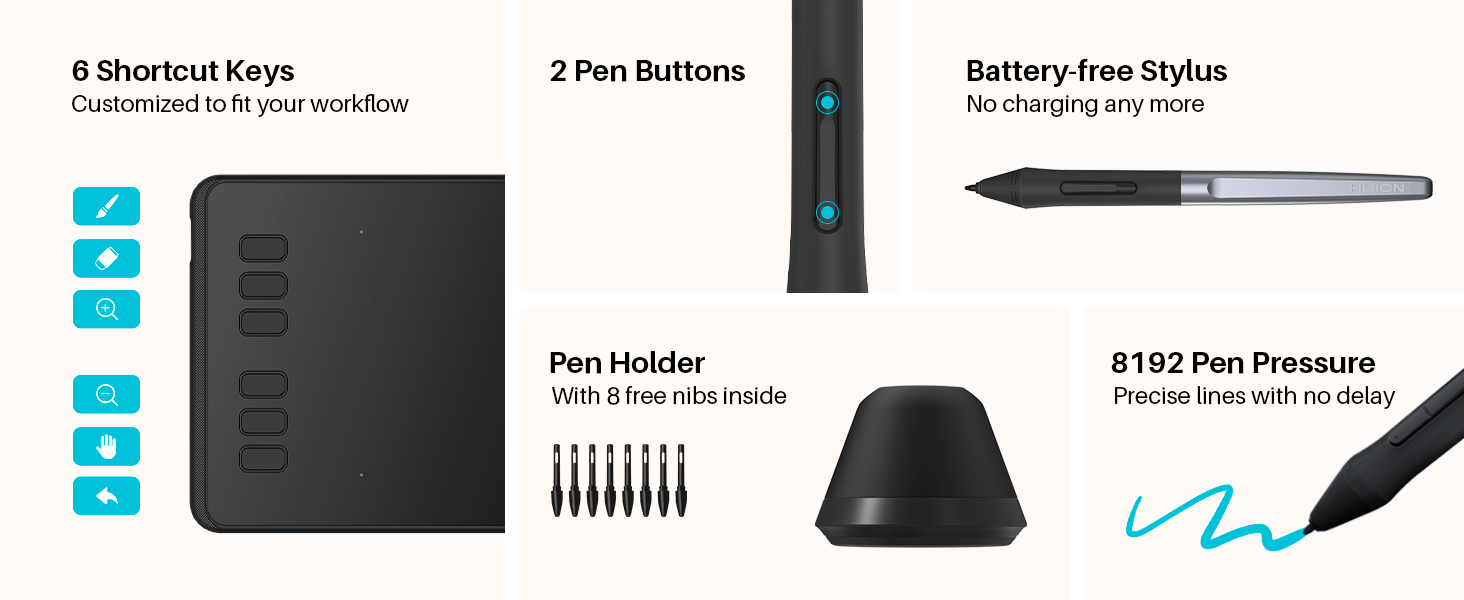
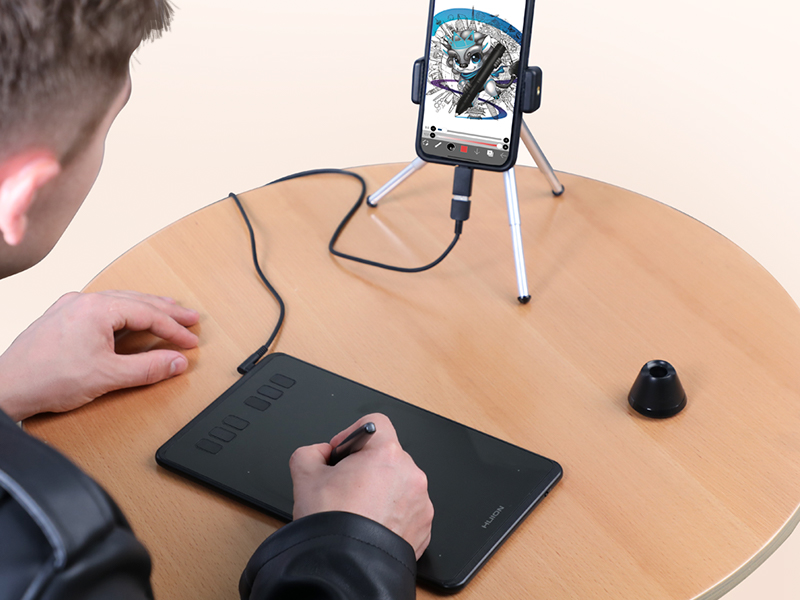
Multi-OS Compatibility
Inspiroy H640P drawing tablet is compatible with Mac (MacOS 10.12 or later),PC (Windows 7 or later),Linux(Ubuntu) and select Android smartphones/tablets (OS version 6.0 or later).
The slim & compact design takes less desk space and makes it easy to carry between home, work and school. It can be easily packed in your laptop bag and connected to Android smartphone for on-the-go creation.
Please note: H640P does NOT suppoer iOS system.
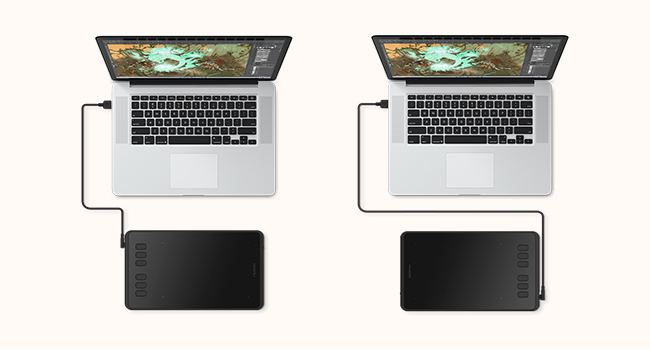
Available In Left
Inspiroy H640P graphics tablet is also available for left-handed users. Simply change the rotate setting in driver and filp the tablet, then you’re ready to go.

Works With Hundreds of Apps
It can be used with most pen-enabled creative software as well as many online learning applications and platforms on PC and Mac.
So Simple To Set Up

Step 1
Plug the USB cable into you Inspiroy H640P drawing tablet and computer.
*The OTG adapter included is for Android phones/tablets connection.
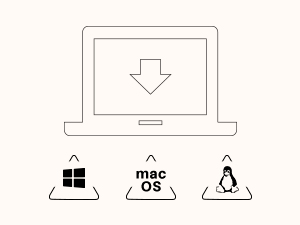
Step 2
Download and install the Huion driver in your computer.
*For Mac: installing the driver, require Security & Privacy settings.
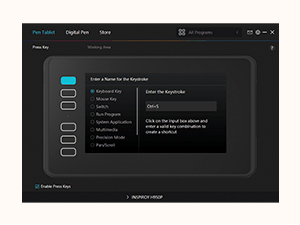
Step 3
Restart your computer and follow the user manual to set up the shortcut keys, pen buttons and working area, then you're ready to go.
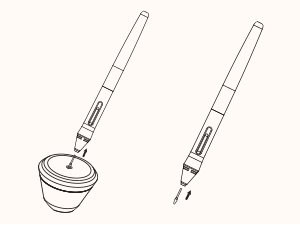
How to change pen nibs
1. Take out the nib via the nib extractor at the bottom of pen holder.
2. Open the pen holer and find the replacement nibs inside.
3. Insert the nib.

-
For Creators
Inspiroy H640P is a creative editing tablet designed to speed up content creation whether it’s illustration, animation, graphic design or photo editing.
-
For Students
Learning goes digitally. Huion tablets and pen can help students to draw angles, write formulas, sketch and diagram sentence easily and efficiently in ways they can’t with a keyboard and mouse.
-
For Teachers
In the classroom, teacher can use digital pen and tablet to explain concepts visually, annotate digital content & illustrate at ease without turning back to class to write on whiteboard or chalkboard.
-
For Work
Digital pen technology is designed for paperless office. You can use the tablet & pen for eletronic signature, annotations & presentation in video conference and more to replae paper-based workflows.
-
For OSU Playing
The battery-free pen is perfect for fast and precise aims. No more mouse drifts. The Huion driver allows you customize your tablet to your preference, making it suitable for any play style.
More from this brand
Similar items from “Graphics Tablets”
Share with
Or share with link
https://www.bolo.qa/products/UO075G6ZGWK
Visit the HUION Store
HUION Inspiroy H640P 6x4 inch Drawing Tablet 8192 Pen Pressure
QAR18703
Quantity:
Order today to get by 7-14 business days
Delivery fee of QAR 20. Free for orders above QAR 200.
Imported From: United States
At BOLO, we work hard to ensure the products you receive are new, genuine, and sourced from reputable suppliers.
Every product in the BOLO catalogue is sourced through our Verified Global Supply Network of verified sellers, authorized distributors or directly from the manufacturer.
Each product undergoes thorough inspection and verification at our consolidation and fulfilment centers to ensure it meets our strict authenticity and quality standards before being shipped and delivered to you.
If you ever have concerns regarding the authenticity of a product purchased from us, please contact Bolo Support. We will review your inquiry promptly and, if necessary, provide documentation verifying authenticity or offer a suitable resolution.
Your trust is our top priority, and we are committed to maintaining transparency and integrity in every transaction.
While we strive to display accurate information, variations in packaging, labeling, instructions, or formulation may occasionally occur due to regional differences or supplier updates. For detailed or manufacturer-specific information, please contact the brand directly or reach out to BOLO Support for assistance.
Unless otherwise stated, all prices displayed on the product page include applicable taxes and import duties.
BOLO operates in accordance with the laws and regulations of Qatar. Any items found to be restricted or prohibited for sale within the Qatar will be cancelled prior to shipment. We take proactive measures to ensure that only products permitted for sale in Qatar are listed on our website.
All items are shipped by air, and any products classified as “Dangerous Goods (DG)” under IATA regulations will be removed from the order and cancelled.
All orders are processed manually, and we make every effort to process them promptly once confirmed. Products cancelled due to the above reasons will be permanently removed from listings across the website.
Description:
What's in the box
Details:
| Brand | HUION |
|---|---|
| Connectivity Technology | USB |
| Pressure Sensitivity | 8192 levels |
| Operating System | Android 6.0 and above, Linux(Ubuntu), Mac OS 10.12 and above, Windows 7 and above |
| Special Feature | Android Device Supported, Extra-Slim, Portable, Programmable Press Key |
Multi-OS Compatibility
Inspiroy H640P drawing tablet is compatible with Mac (MacOS 10.12 or later),PC (Windows 7 or later),Linux(Ubuntu) and select Android smartphones/tablets (OS version 6.0 or later).
The slim & compact design takes less desk space and makes it easy to carry between home, work and school. It can be easily packed in your laptop bag and connected to Android smartphone for on-the-go creation.
Please note: H640P does NOT suppoer iOS system.
Available In Left
Inspiroy H640P graphics tablet is also available for left-handed users. Simply change the rotate setting in driver and filp the tablet, then you’re ready to go.
Works With Hundreds of Apps
It can be used with most pen-enabled creative software as well as many online learning applications and platforms on PC and Mac.
So Simple To Set Up
Step 1
Plug the USB cable into you Inspiroy H640P drawing tablet and computer.
*The OTG adapter included is for Android phones/tablets connection.
Step 2
Download and install the Huion driver in your computer.
*For Mac: installing the driver, require Security & Privacy settings.
Step 3
Restart your computer and follow the user manual to set up the shortcut keys, pen buttons and working area, then you're ready to go.
How to change pen nibs
1. Take out the nib via the nib extractor at the bottom of pen holder.
2. Open the pen holer and find the replacement nibs inside.
3. Insert the nib.
-
For Creators
Inspiroy H640P is a creative editing tablet designed to speed up content creation whether it’s illustration, animation, graphic design or photo editing.
-
For Students
Learning goes digitally. Huion tablets and pen can help students to draw angles, write formulas, sketch and diagram sentence easily and efficiently in ways they can’t with a keyboard and mouse.
-
For Teachers
In the classroom, teacher can use digital pen and tablet to explain concepts visually, annotate digital content & illustrate at ease without turning back to class to write on whiteboard or chalkboard.
-
For Work
Digital pen technology is designed for paperless office. You can use the tablet & pen for eletronic signature, annotations & presentation in video conference and more to replae paper-based workflows.
-
For OSU Playing
The battery-free pen is perfect for fast and precise aims. No more mouse drifts. The Huion driver allows you customize your tablet to your preference, making it suitable for any play style.
More from this brand
Similar items from “Graphics Tablets”
Share with
Or share with link
https://www.bolo.qa/products/UO075G6ZGWK