Description:
Details:
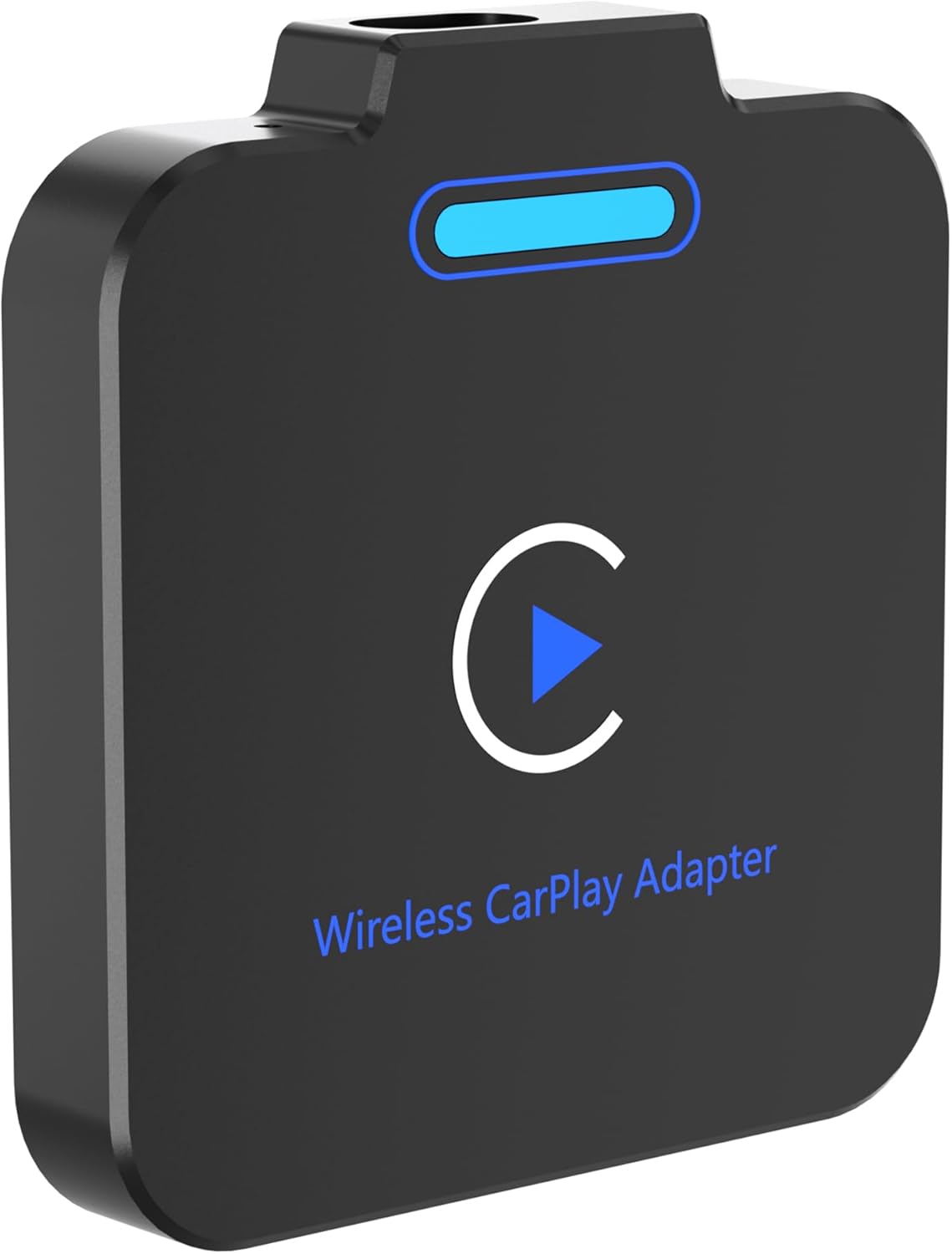
| Compatible devices | for iPhone iOS 10+ |
|---|---|
| Connector type | USB Type C |
| Colour | black |
| Item dimensions L x W x H | 6 x 6.5 x 1 centimetres |
| Brand | Hxwlo |
Visit the Hxwlo Store
2025 Wireless Adapter for Apple Car Play, Wireless CarPlay Adapter Easily Switch from Wired to Wireless CarPlay, Compatible with Vehicles from 2016 and iPhone 6+ (iOS 10+), seamless Apple CarPlay
'%3e%3crect%20x='0.599609'%20width='22.4'%20height='16'%20fill='%230A17A7'/%3e%3cpath%20fill-rule='evenodd'%20clip-rule='evenodd'%20d='M-0.426196%20-1.53223L9.1335%204.91587V-1.06506H14.4668V4.91648L24.0263%20-1.53147L25.2193%200.237148L17.6615%205.33494H23.0002V10.6683H17.6618L25.2187%2015.7655L24.0258%2017.5341L14.4668%2011.0865V17.0683H9.1335V11.0871L-0.425634%2017.5348L-1.61858%2015.7662L5.93947%2010.6683H0.600172V5.33494H5.93977L-1.61914%200.236387L-0.426196%20-1.53223Z'%20fill='white'/%3e%3cpath%20d='M15.5332%205.06615L25.6655%20-1.59961'%20stroke='%23DB1F35'%20stroke-width='0.533333'%20stroke-linecap='round'/%3e%3cpath%20d='M16.6094%2010.9578L25.6924%2017.0801'%20stroke='%23DB1F35'%20stroke-width='0.533333'%20stroke-linecap='round'/%3e%3cpath%20d='M7.00176%205.04727L-2.47266%20-1.33789'%20stroke='%23DB1F35'%20stroke-width='0.533333'%20stroke-linecap='round'/%3e%3cpath%20d='M8.02936%2010.8842L-2.47266%2017.8486'%20stroke='%23DB1F35'%20stroke-width='0.533333'%20stroke-linecap='round'/%3e%3cpath%20fill-rule='evenodd'%20clip-rule='evenodd'%20d='M0.599609%209.6H10.1996V16H13.3996V9.6H22.9996V6.4H13.3996V0H10.1996V6.4H0.599609V9.6Z'%20fill='%23E6273E'/%3e%3c/g%3e%3c/svg%3e) Imported From: United Kingdom
Imported From: United Kingdom
At BOLO, we work hard to ensure the products you receive are new, genuine, and sourced from reputable suppliers.
Every product in the BOLO catalogue is sourced through our Verified Global Supply Network of verified sellers, authorized distributors or directly from the manufacturer.
Each product undergoes thorough inspection and verification at our consolidation and fulfilment centers to ensure it meets our strict authenticity and quality standards before being shipped and delivered to you.
If you ever have concerns regarding the authenticity of a product purchased from us, please contact Bolo Support. We will review your inquiry promptly and, if necessary, provide documentation verifying authenticity or offer a suitable resolution.
Your trust is our top priority, and we are committed to maintaining transparency and integrity in every transaction.
While we strive to display accurate information, variations in packaging, labeling, instructions, or formulation may occasionally occur due to regional differences or supplier updates. For detailed or manufacturer-specific information, please contact the brand directly or reach out to BOLO Support for assistance.
Unless otherwise stated, all prices displayed on the product page include applicable taxes and import duties.
BOLO operates in accordance with the laws and regulations of Qatar. Any items found to be restricted or prohibited for sale within the Qatar will be cancelled prior to shipment. We take proactive measures to ensure that only products permitted for sale in Qatar are listed on our website.
All items are shipped by air, and any products classified as “Dangerous Goods (DG)” under IATA regulations will be removed from the order and cancelled.
All orders are processed manually, and we make every effort to process them promptly once confirmed. Products cancelled due to the above reasons will be permanently removed from listings across the website.

Incompatible Car Models:
BMW, Tesla, 2016 Buick LaCrosse, 2019 Honda CRV, 2019 Honda Odyssey, 2021 Honda Civic, 2020 Nissan Rogue, Acura RDX, Mitsubishi, etc.

How to Confirm if a Car Model Supports CarPlay?
Check the Car Manual: The manual usually lists whether CarPlay is supported.
Visit the Car Manufacturer's Website: Look for a list of CarPlay-compatible models.
Consult the Dealer: Contact the car dealer or 4S store to confirm if the model supports CarPlay.
Test the Connection: Connect your iPhone to the car via a USB cable and see if the CarPlay interface appears.


USB Port: The wired CarPlay adapter needs to be connected via a USB port. Ensure that the car's USB port supports data transfer (not just charging).


Please note:
This adapter is not compatible with Android phones. It is suitable for iOS 10 and above. Ensure that CarPlay is enabled in your car.

Q&A
1. How do I know if the wireless CarPlay adapter is compatible with my car?
If you have wired Apple CarPlay installed in your car, this adapter is fit for your vehicle.
2. Is there a big delay when starting it up between turning on and pairing?
There is a delay of about 10s, depending on your car entertainment system.
3. Doesn’t it apply to all BMW models?
None of them apply because BMW models either do not have the CarPlay function or are equipped with wireless CarPlay.
4. Do I need to unplug the device after parking?
No, the device will automatically turn off when the vehicle is turned off.
5.If both phones have records of connecting to the vehicle's CarPlay, how do I switch phones?
The operation method is as follows:
1)Turn off the wireless and Bluetooth switches of one phone;
2) Turn on the wireless and Bluetooth switches of the other phone and connect the corresponding CarPlay signal.
Similar suggestions by Bolo
More from this brand
Similar items from “Car Stereos”
Share with
Or share with link
https://www.bolo.qa/products/KO0Q56XMZSC
Visit the Hxwlo Store
2025 Wireless Adapter for Apple Car Play, Wireless CarPlay Adapter Easily Switch from Wired to Wireless CarPlay, Compatible with Vehicles from 2016 and iPhone 6+ (iOS 10+), seamless Apple CarPlay
Imported From: United Kingdom
At BOLO, we work hard to ensure the products you receive are new, genuine, and sourced from reputable suppliers.
Every product in the BOLO catalogue is sourced through our Verified Global Supply Network of verified sellers, authorized distributors or directly from the manufacturer.
Each product undergoes thorough inspection and verification at our consolidation and fulfilment centers to ensure it meets our strict authenticity and quality standards before being shipped and delivered to you.
If you ever have concerns regarding the authenticity of a product purchased from us, please contact Bolo Support. We will review your inquiry promptly and, if necessary, provide documentation verifying authenticity or offer a suitable resolution.
Your trust is our top priority, and we are committed to maintaining transparency and integrity in every transaction.
While we strive to display accurate information, variations in packaging, labeling, instructions, or formulation may occasionally occur due to regional differences or supplier updates. For detailed or manufacturer-specific information, please contact the brand directly or reach out to BOLO Support for assistance.
Unless otherwise stated, all prices displayed on the product page include applicable taxes and import duties.
BOLO operates in accordance with the laws and regulations of Qatar. Any items found to be restricted or prohibited for sale within the Qatar will be cancelled prior to shipment. We take proactive measures to ensure that only products permitted for sale in Qatar are listed on our website.
All items are shipped by air, and any products classified as “Dangerous Goods (DG)” under IATA regulations will be removed from the order and cancelled.
All orders are processed manually, and we make every effort to process them promptly once confirmed. Products cancelled due to the above reasons will be permanently removed from listings across the website.
Description:
Details:
| Compatible devices | for iPhone iOS 10+ |
|---|---|
| Connector type | USB Type C |
| Colour | black |
| Item dimensions L x W x H | 6 x 6.5 x 1 centimetres |
| Brand | Hxwlo |
Incompatible Car Models:
BMW, Tesla, 2016 Buick LaCrosse, 2019 Honda CRV, 2019 Honda Odyssey, 2021 Honda Civic, 2020 Nissan Rogue, Acura RDX, Mitsubishi, etc.
How to Confirm if a Car Model Supports CarPlay?
Check the Car Manual: The manual usually lists whether CarPlay is supported.
Visit the Car Manufacturer's Website: Look for a list of CarPlay-compatible models.
Consult the Dealer: Contact the car dealer or 4S store to confirm if the model supports CarPlay.
Test the Connection: Connect your iPhone to the car via a USB cable and see if the CarPlay interface appears.
USB Port: The wired CarPlay adapter needs to be connected via a USB port. Ensure that the car's USB port supports data transfer (not just charging).
Please note:
This adapter is not compatible with Android phones. It is suitable for iOS 10 and above. Ensure that CarPlay is enabled in your car.
Q&A
1. How do I know if the wireless CarPlay adapter is compatible with my car?
If you have wired Apple CarPlay installed in your car, this adapter is fit for your vehicle.
2. Is there a big delay when starting it up between turning on and pairing?
There is a delay of about 10s, depending on your car entertainment system.
3. Doesn’t it apply to all BMW models?
None of them apply because BMW models either do not have the CarPlay function or are equipped with wireless CarPlay.
4. Do I need to unplug the device after parking?
No, the device will automatically turn off when the vehicle is turned off.
5.If both phones have records of connecting to the vehicle's CarPlay, how do I switch phones?
The operation method is as follows:
1)Turn off the wireless and Bluetooth switches of one phone;
2) Turn on the wireless and Bluetooth switches of the other phone and connect the corresponding CarPlay signal.
Similar suggestions by Bolo
More from this brand
Similar items from “Car Stereos”
Share with
Or share with link
https://www.bolo.qa/products/KO0Q56XMZSC